Network Installation, Phone Systems, WIFI, & Security Cameras in Fort Worth, TX
Structured Data Cabling Forth Worth TX
Fort Worth
Cat5e /
Cat6 installation is what Politon, Inc. specializes in. Having performed structured data cabling for
many
Fort Worth businesses, Politon has the technicians with the expertise to overcome any obstacle in
most any
environment. We have the experience to help you with demarc
extensions,
fiber optic cable installation, phone system installation and repair, paging system and Wi-Fi
installation. Politon
is locally owned and has over 20+ years experience in telecommunications in the Fort Worth area.
Politon has served many Fort Worth area businesses through the years. One of the most visible is which is
located
just off downtown and a short walk from Sundance Square entertainment district. Burnett Plaza is a 40 story
building
with over 1mm Square Feet and a two-acre urban park on its property that is accessible to the public.
Politon has
maintained the phone system for Burnett Plaza which is centrally located on an upper floor while having
phones
distributed all across the building and across the street. Burnett has been and still is a highly valued
customer of
Politon.
Politon, Inc. has partnered with Burnett Plaza for many years and has become a reliable partner and this is
what
they
have to say about us.
Schedule an Estimate
Communications & Data Transmission Services by Politon in Fort Worth, TX
Among the network infrastructure services we provide to customers include:
Clint and his team are very responsive. Clint is very
knowledgeable and is always happy to help. We are very happy with Politon and their phones. The phones
are
easy to use and Politon does a great job of training on how to use the phones. We recently had a spam
robocaller that was tying up our phone lines by calling every 10 seconds for over 2 hours. Politon was
able
to put a block on the number and gave us much needed relief.
We installed all customer-provided hardware in two conference rooms for our customer. They used the Logitech system, composed of a table hub, display hub, camera, and two speakers. They also used a roommate pc, two 85" monitors, a tabletop touchpad, and a door entry scheduler that we mounted in front of a glass frame that looks really good. All of this equipment was installed by our team and verified working by the customer.
The solution was rather simple, but it serves as a good example of why it is best to call the experts first. The first issue I noticed was the presence of single-mode fiber patch cords in the DoG clock fiber enclosure and the tech booth. The fiber optic cable connecting the two locations is multi-mode fiber, which is incompatible with single-mode fiber. Replacing the patch cords with multi-mode ones yielded no result, so I shot a laser down one of the fibers in question. In my experience, if the fiber is broken, it will most likely be broken in the first 3 feet or so of either end. I was not able to see light in the tech booth with the laser at the DoG clock. Based on my memory of how the fiber connected from the DoG clock to the tech booth, I recalled that there was a connection point at the base of the stadium in one of the restrooms where the fibers from the DoG clocks connected to 2 fibers that went to the tech booth. Once I removed the access panel, I saw the light from the laser shining. The problem, it turned out, was that a mouse or rat had gotten into the fiber panel and chewed one of the delicate strands. I simply moved over the connection to one of the 2 backup pairs that were already terminated. Once I plugged the DoG clock back in, everything came up as it should.
Our customer expressed surprise at how fast we were able to fix the issue, but this is the exact reason we encourage our customers to always have multiple layers of redundancy when it comes to fiber optic cable. I ensured this would not happen again by ensuring the panel would stay closed.
FWISD added two new state-of-the-art delay game clocks that need a multi-mode fiber optic connection. This was a fairly large project in the heat of the summer that required extensive trenching, laying new conduits, and installing fiber optic boxes. The customer was very happy with our work and had us do the same solution at a second stadium for the school district.
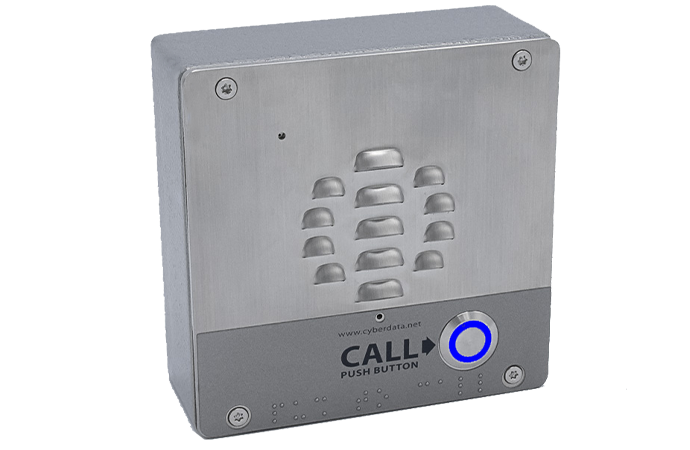
The initial phase of this solution is to install paging horns and ceiling speakers throughout the facility. The second phase of this project is to install SIP paging strobes and emergency push buttons that can alert the employees with a specific message on the speakers and a matching color on the strobes. The first phase of the project was s success with all the horns installed and connected back to the SIP paging server.
We ran the cable from their IDF to the exterior of the building. For a professional look, we drilled through the 8-inch thick concrete exterior wall, ran conduit on the interior side, and mounted the box for the time clock, as pictured. There was a previous hole drilled in the concrete wall that the customer did not want to utilize, so we sealed the hole on both sides. We tested the cable using our Fluke tester, and the customer was satisfied with our work. We look forward to doing more for DiMare Fresh.
Politon helped Siemons with a two-part network project in south Fort Worth, TX. The largest part of the project was to install directional Wifi antennas in each row of the racking in their warehouse. This involved mounting both the Wifi access point and the additional external directional antenna. We numbered each board according to the customer's numbering scheme and painted it the required color as well. These Cisco directional antennas are great in narrow high racking with the range extending just beyond the end of both ends of the racking.
The second part of the project was to install data cabling to several desk locations. Each location had a triple drop inside liquid-tight flexible conduit with a strain wire mesh support at the top. On the bottom of the drop was a four-square box with a face plate. All cabling for both the data drops and the Wifi is Siemons data cabling.
Siemons has been very happy with our work and has asked us to work on several other projects for them as well in the Dallas/Fort Worth area. Politon is a Siemons Certified Installer with all the required test equipment and certifications that professional installation requires. Siemons offers a 25-year cabling warranty on Certified Installation.
Politon technicians ran CAT6 cable to and installed 15 WiFi access points and 20 security cameras. The access points and cameras were provided by the customer. Politon also installed two new IDF cabinets to enable better coverage of a larger area in the warehouse. The IDF cabinet was linked to the MDF via a CAT6 connection. Politon technicians also ran more than 20 cables to the warehouse floor as well as installed conduit underneath a new conveyor belt to enable the customer to install several new packing stations. The WiFi coverage was validated using Politon's new WiFi survey tool provided by NetAlly, which is a new service Politon offers.
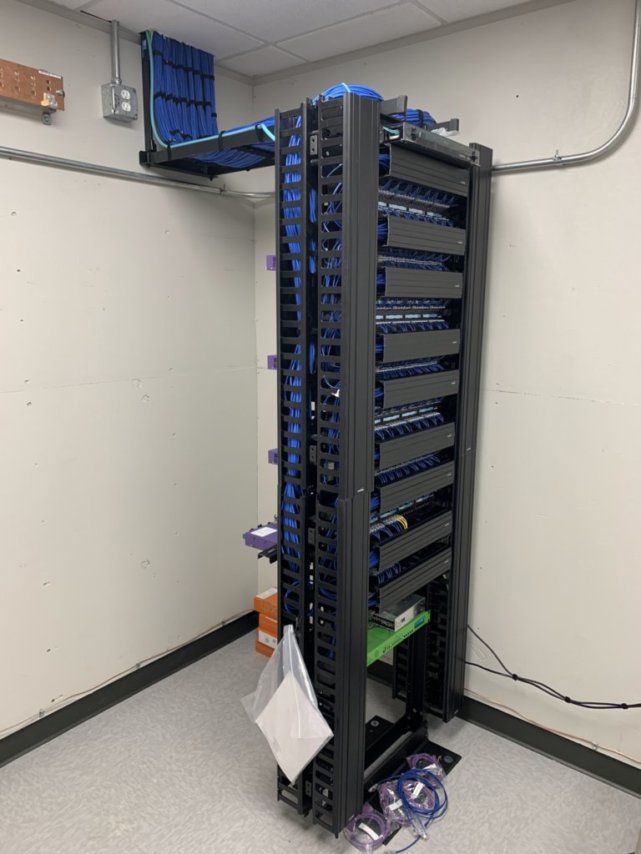
Their current technology was originally located on multiple different floors, but Politon helped to connect each of these locations for greater efficiency. Politon added two post data rack from the MDF to the cubicles located on the fifth floor, which took about 200 CAT-6 data drops. They then added multimodal fiber between the new data room with the new post rack and the MDF and proceeded to create a new IDF on a different floor to better feed connections to future users. Politon also assisted with cabling for security purposes by pulling cables from eight different access points and POE cameras around the suite in hopes of providing optimal assistance. By the end of the project, the insurance company was highly satisfied with the work done by Politon and were delighted to consider themselves a customer of their company.
The main portion of this project was connecting the two office spaces through data cabling allowing for an extension of the network used. This was especially difficult because one office space was on the 6th floor and the other was on the 5th floor of the neighboring building. Proving to be an even harder challenge as the pipes between the building had been busted and required a bit of ingenuity to allow for proper functionality.
Once we were able to move and connect the cabling to each building, it was discovered that inside the office space the old tenant had pulled the data cabling and rebuilt walls around them. In an effort to utilize the old cabling we had to dig out the old cabling and reconfigure them to the new floor plan.
To allow for a more enjoyable work-life experience, we added new additions to the conference and training room. These included adding AV cables that connected the HDMI cables from the TVs to an HDMI plate below the TV, and a CAT-6 to HDMI extension data cable. This allowed employees easy access when connecting laptops to the screens during important presentations.
We also revamped the entire data rack and installed all the data cabling for the wifi and installed wifi access points. With 140 total cables, our team was able to completely build an entirely new office space.
Firebirds Wood Fired Grill in Fort Worth, Texas, requested a new patch panel and additional Ethernet drops to the front terminal. This job included the following tasks:
* Installing the new patch panel
* Pulling new cables
* Installing jacks on both ends
* Testing to ensure everything was working properly
Fort Worth is the first location in Texas of Firebrands Wood Fired Grill, which opened in February 2022.
Saddle Creek Logistics Services in Fort Worth, Texas, requested additional Ethernet drops. This required changing the existing small switch to a larger switch to provide more ports. The new switch we installed made it possible to add the additional Ethernet drops as well as an additional access point in an office. We were able to complete this job with minimal disruption to the occupants.
Sam's Club in Fort Worth, Texas, was installing a conveyor system in their warehouse and asked us to add a fiber connection back to the main data room. The tasks needed to complete the job included:
* Pulling six-strand armored multimode cable
* Installing fiber trays in the data room and the conveyor cabinet
* Installing connectors on the ends of each fiber
* Testing the fibers with the OWL F7X power meter tester
* Labeling the new equipment
Real Client Needs in Fort Worth
Justin P.
I'm calling to schedule a Wi‑Fi site survey at my warehouse to confirm a dead spot after a recent installation, and I need someone to come within the next week if possible. We agreed to exchange emails to finalize availability and get the site visit on the schedule.
D O.
I called to arrange a PA system installation and scheduled a walkthrough for a customer's building in Fort Worth; I will email the details so they can provide a quote.